
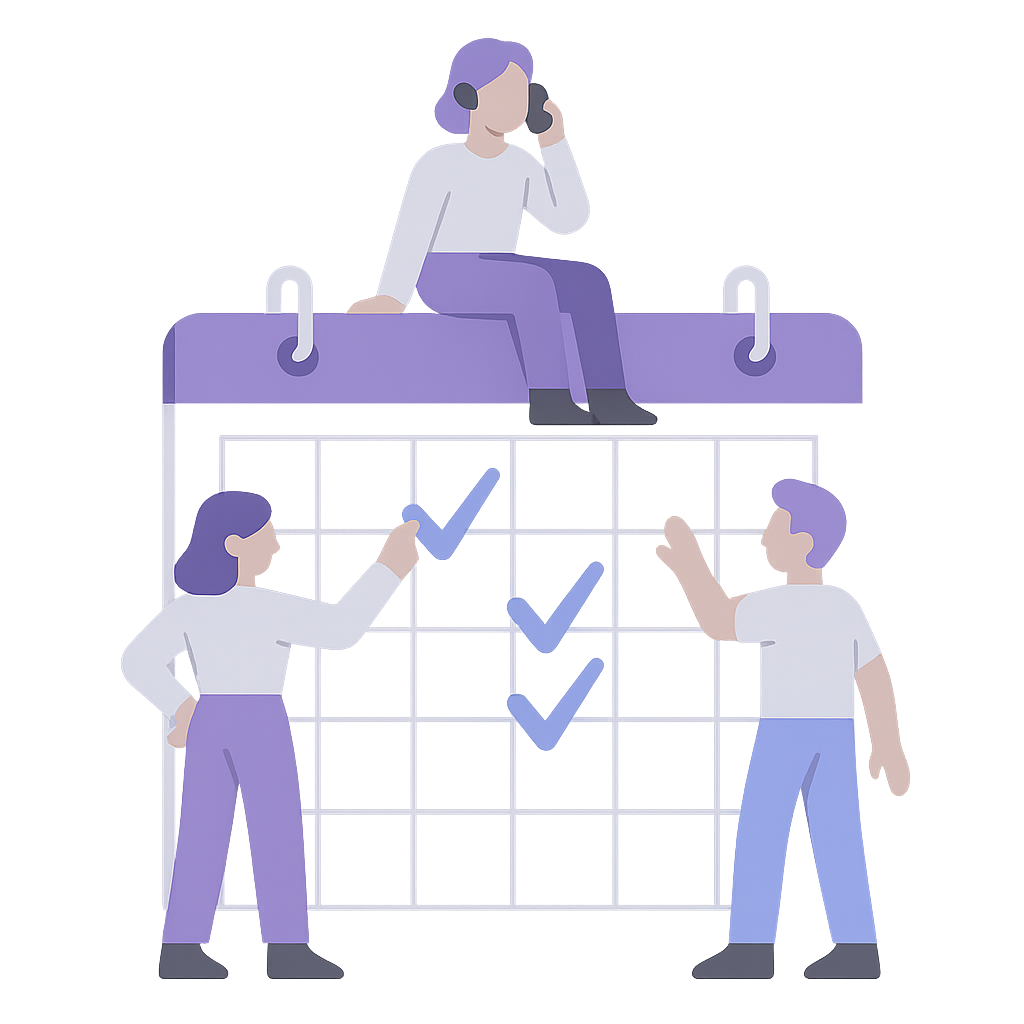

On-Call Scheduling is Difficult
Schedule-based call routing sounds straightforward. You create a schedule. Calls follow it. But most organizations don't have schedule-based call routing. They have a schedule in one place and call forwarding in another.
Google Calendar says Maria is on call tonight. The phone system still forwards to James, who worked last night. Someone called out sick at 11 PM, you approved the swap in the schedule, but you forgot to update the forwarding rules. Now calls are going to someone who isn't expecting them, and the person who is expecting them isn't getting any.
This gap between schedule and routing is called drift. It's invisible until something goes wrong. The schedule looks correct, so everyone assumes calls are going to the right place. When they aren't, the first sign is usually a missed call or a confused volunteer.
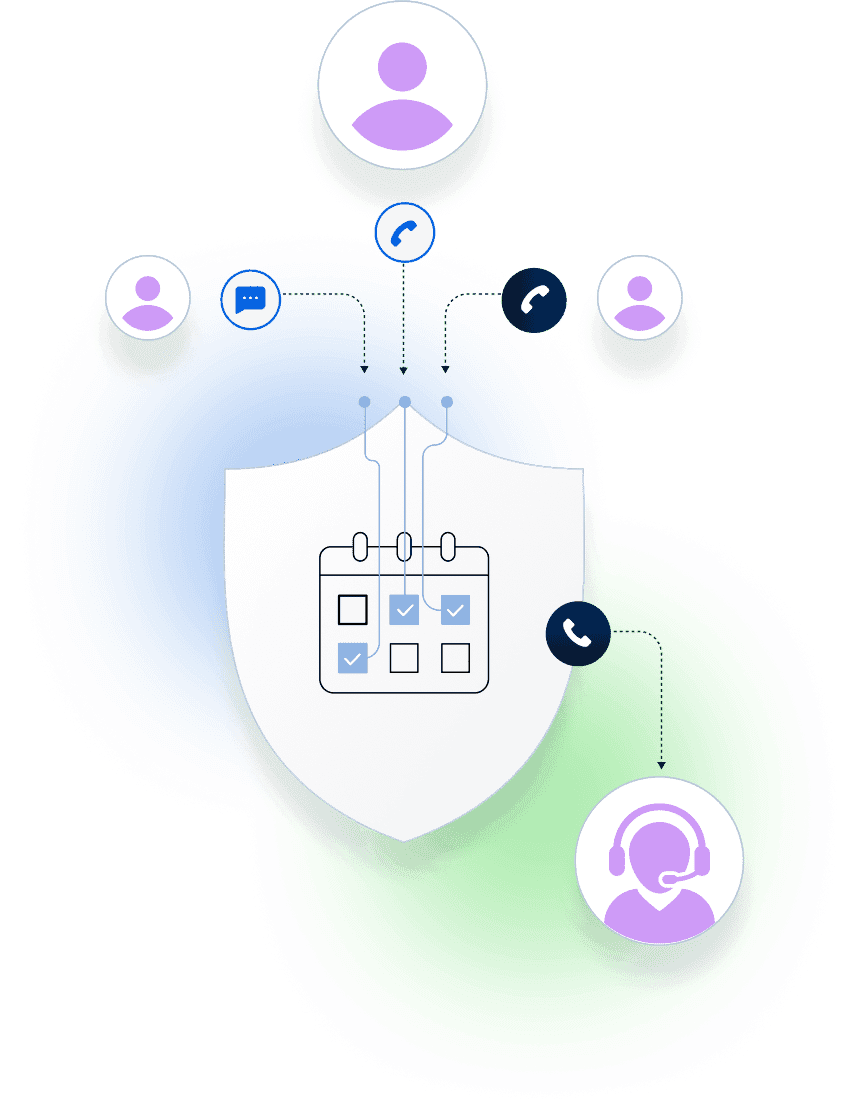
The Solution: Schedules Controls the Routing
With Helpline Software, schedule-based call routing actually works the way it should. The schedule and the routing are the same system. When you approve a shift change, call routing updates instantly. When a volunteer marks themselves unavailable, calls skip them automatically. When the overnight shift starts at midnight, the new person starts receiving calls without anyone logging in to make it happen.
This isn't a scheduling tool that integrates with your phone system. The schedule directly controls where calls go. One system. One source of truth. Crisis coordinators using our system report saving 20 to 25 hours per week. Most of that time was spent keeping their scheduling tool and phone system in sync.
What Our Customers Say
Our customers love how customizable the system is, the top-notch support, and how easy it is to use Helpline Software.
"…customer service is responsive, honest, articulate… it's top-notch…"

"There's definitely an awareness with the customer service team that every agency is different… It's very 'meet us where we're at.'"
"I'm loving this system. It's incredibly easy to tailor, and it does exactly what [our on-call personnel] need. Instead of troubleshooting, [our on-call personnel] are spending that time with [callers]."
"It really has changed a huge part of our organization."

"Having a system customized to fit [our needs] has been invaluable. HelplineSoftware gives us the tools we need to support both our staff and [callers]."

"Helpline Software has been an incredible thought partner. They offer creative solutions and really care about the mission of the agencies they serve."

"We are incredibly grateful for our wonderful transition to Helpline this year. The entire process has been seamless, and our team has had nothing but glowing feedback. The ease of use, combined with your excellent customer service, has made a world of difference."

"…take a leap of faith and do it… it is a game changer… it will alleviate a lot of misused time and… [you] will thank me later."

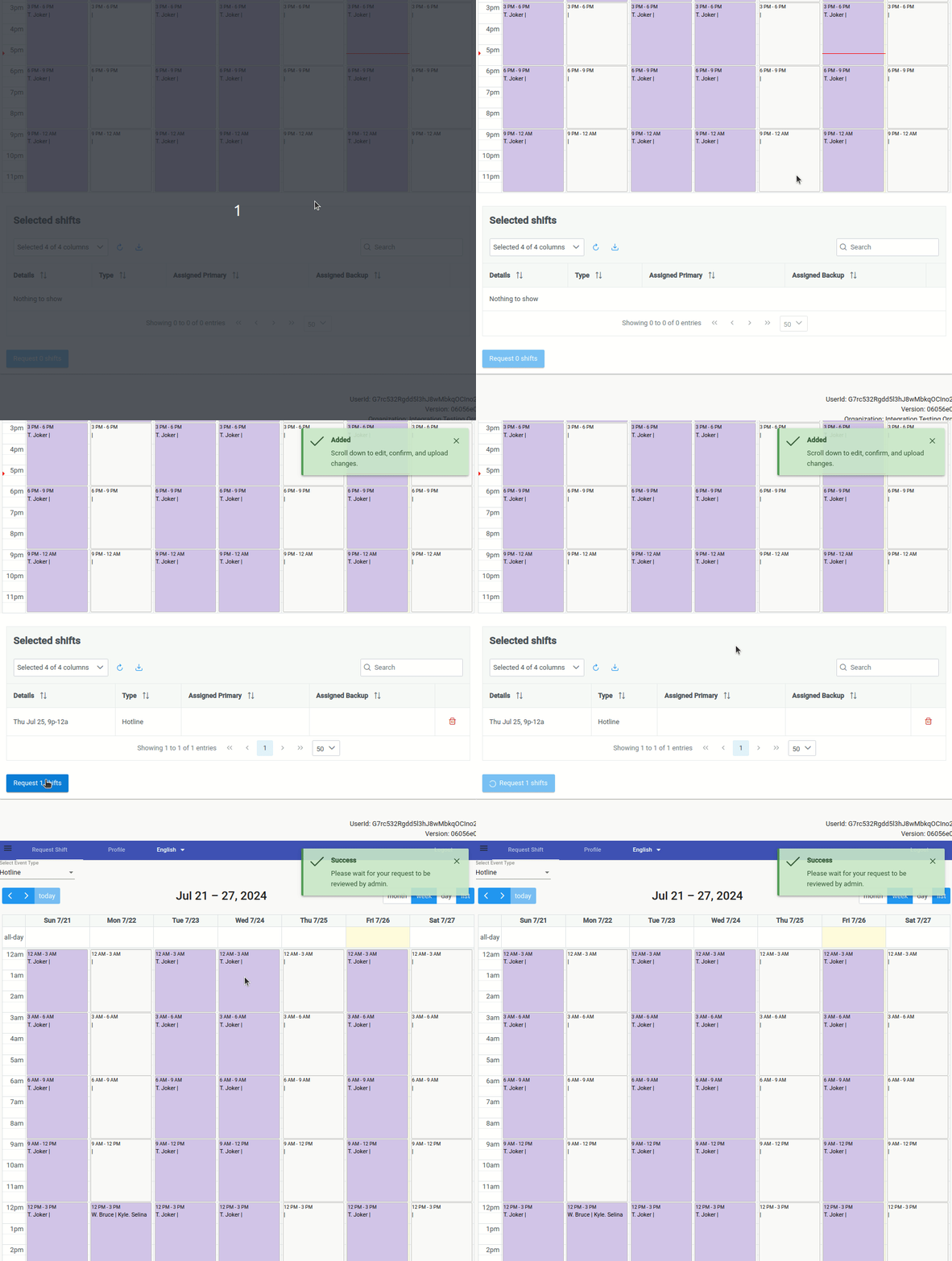
Shift Requests That Update Routing Automatically
Agents see all open shifts on a calendar. They click any shift they want and click "Request." That's it from their side.
Admins see all pending requests in one place. Approve or deny with one click, add a comment if needed, and submit. The schedule updates instantly, and because the schedule controls routing, calls immediately start going to the right person. No second step. No separate system to update. No chance for drift.
You can also bulk-edit shifts, split shifts when someone can only cover part of a slot, and resize shifts as needed. The system is designed for the reality that schedules change constantly.
Auto-Approval for Last-Minute Coverage
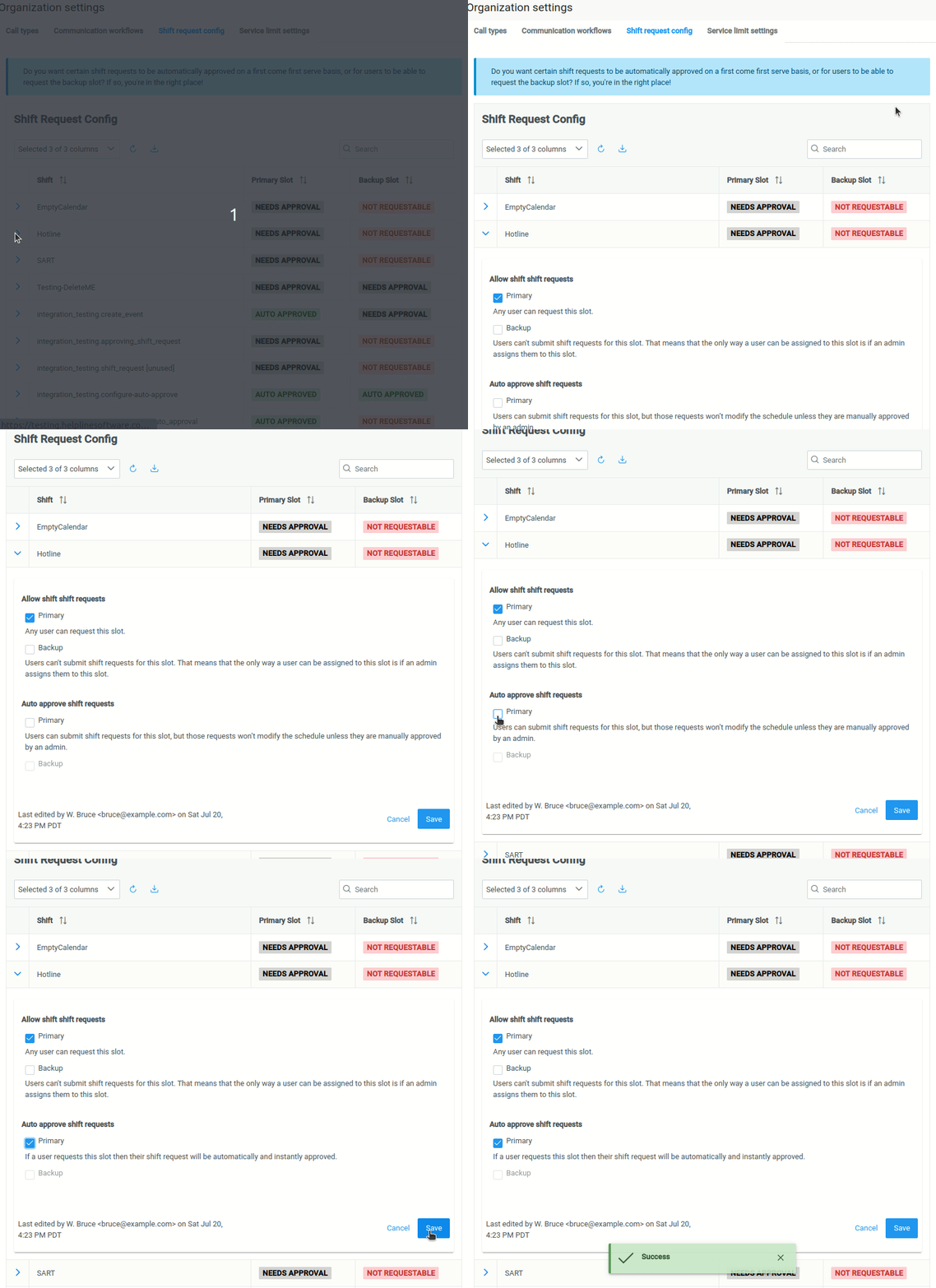
It's 11:59 PM. The overnight shift starts in one minute and nobody has signed up. Backup staff are about to get woken up. Then a volunteer decides they can take it. They log in, select the shift, click "Take."
With most systems, nothing happens. The request sits there waiting for approval. The volunteer waits. Backup staff get woken up anyway.
With auto-approval enabled, the volunteer is instantly on the schedule. Call routing updates immediately. Backup staff sleep through the night. You control which shifts get auto-approved: overnight shifts might auto-approve while daytime shifts need review, or shifts within 4 hours of start time might auto-approve regardless. You set the rules once; the system follows them every time.
Shift Reminders Can be A Life Saver
Agents forget shifts. One agency told us their agents were "pretty reliable" until finals week hit. Suddenly every college student on the schedule forgot they were supposed to be on call.
The system sends text message reminders the day before and day of scheduled shifts. Agents opt in, so it doesn't feel like spam. If the text doesn't go through (phone off, bad reception), the system falls back to email.
Some agencies also require shift confirmations. If a volunteer doesn't confirm 4 hours before their shift starts, the manager reaches out to confirm or find coverage before it becomes an emergency.
When Someone Has a Flat Tire
Life happens. A volunteer has a flat tire, a hospital accompaniment comes up, something unexpected pulls them away. Right now, they probably call or text you, and you have to be available around the clock to make the change. That's exhausting for everyone.
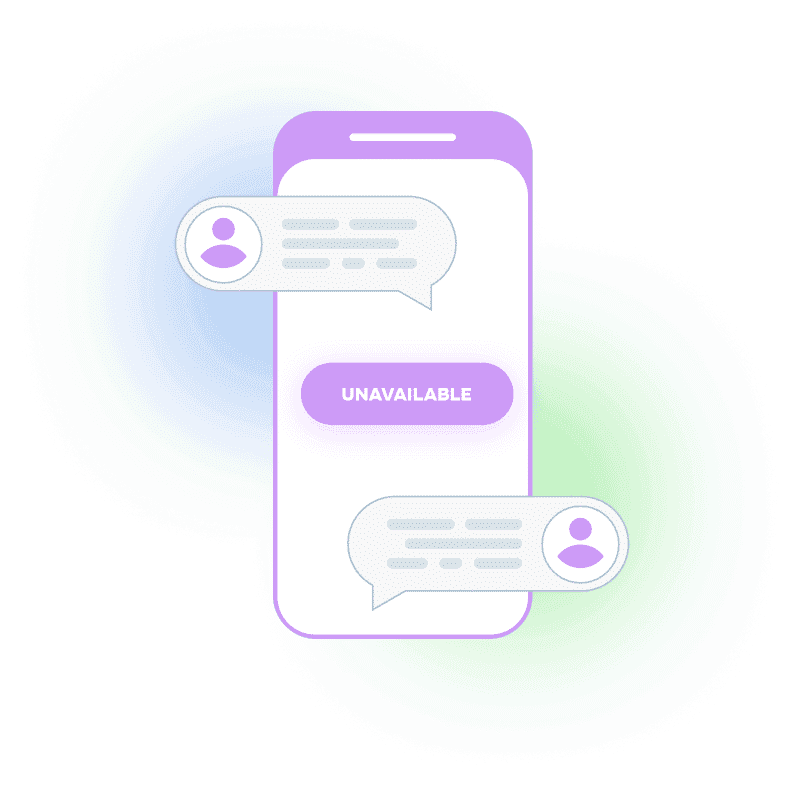
Instead, agents can text the hotline and say "unavailable." The system texts back: "I've marked you as unavailable for 24 hours. If you become available sooner, just let me know." During that time, calls skip them automatically.
The real-time call logs show exactly what happened: "Skipped Sarah because Sarah was marked as unavailable." No guessing, no awkward follow-up conversations. You have a complete audit trail if you need it.
You Don't Have to Be Available 24/7
When scheduling and routing are separate systems, someone has to be available around the clock to keep them in sync. That person is usually you. Every call-out means logging in. Every last-minute change means updating two places. Every forgotten update means calls going to the wrong person.
Schedule-based call routing eliminates that entire category of work. The schedule controls the routing. Agents can request shifts and mark themselves unavailable without calling you. Auto-approval handles the 11:59 PM shift pickups. The system handles the coordination so you don't have to.

150% Money Back Guarantee
Try Helpline Software risk-free! If you're not satisfied within 30 days, we'll refund all your money—plus give you up to $500.
Offer void if not used within 90 days of contract effective date. Cancellation must be done in writing. Void where prohibited. No cash value unless required by law. Limit one per organization.
Frequently Asked Questions About Schedule-Based Call Routing
›Can agents pick up shifts themselves, or does an admin have to manage everything?
It's customizable. Agents can request shifts through the system, and you decide what happens next. Some agencies require admin approval for every request. Others enable auto-approval so agents can pick up shifts instantly. Many use a hybrid: auto-approve voluntary shifts and require approval for backup or regular shifts. You set the rules once and the system enforces them.
›What happens if the person on call doesn't answer?
The system tries your backup person automatically. Most agencies set up a manager-on-call schedule as a second tier: if the primary and backup hotline staff are both unavailable, calls roll to a manager. If no one answers after all escalation attempts, the system captures a callback request and keeps trying until someone responds.
›How does this differ from time-based routing?
Time-based routing uses fixed rules: "After 5 PM, route to the on-call phone." It doesn't know who is actually on call. Schedule-based call routing ties routing to actual shift assignments. When the schedule changes, routing changes. When someone marks themselves unavailable mid-shift, routing adjusts. The schedule is the single source of truth.
›How far in advance can we schedule shifts?
As far as you want. There's no limit. Some agencies schedule years in advance for recurring coverage patterns. Agencies that previously used 30-day schedules find the extra lead time helpful around holidays, when staff want to plan PTO early. You can start scheduling for December in September without maintaining a separate vacation tracker.
›How do agents get notified about their shifts?
The system texts agents daily with their upcoming shifts. You configure the timing to match your schedule (8 AM for day shifts, 4 PM for a preview of tomorrow). Agents opt in to these notifications. Separate shift reminders go out the day before and day of each scheduled shift.
›Can we see why a call went to backup instead of the primary person?
Yes. The real-time call logs show exactly what happened: "Skipped Sarah because Sarah was marked as unavailable" or "Skipped Sarah because Sarah did not answer after 30 seconds." You get a complete audit trail without having to ask anyone what happened.
›Can staff view and pick up shifts from their phone?
Yes. The scheduling interface works in any mobile browser. Staff can view open shifts, request coverage, mark themselves unavailable, and receive shift reminders via text. No app download required.
›How long does setup take?
We work on your schedule. We've turned around fully custom on-call systems, including schedules in as little as 1 business day.
Most agencies go live within two weeks. The first week is spent configuring your schedule structure, shift lengths, and escalation rules. The second week is testing with your team. If you have more complex requirements setup can longer.
›Can we set up recurring shift patterns?
Yes. During onboarding, you define your shift templates: eight-hour blocks, 12-hour blocks, weekday/weekend splits, or whatever structure fits your coverage model. The system creates shifts in that format going forward. You can bulk-assign entire weeks or months at once.
›Does the schedule sync with Google Calendar or Outlook?
When staff are assigned shifts, they receive calendar invites automatically. This puts the shift on their personal calendar without requiring them to log in to anything. They can accept the invite and it appears alongside their other appointments.
›What if we have multiple teams or locations with separate schedules?
You can run multiple independent schedules within one account. A domestic violence shelter might have one schedule for the crisis line and another for the shelter hotline. Each schedule has its own staff roster, shift structure, and escalation rules. Calls route to the right schedule based on the number dialed.
›How do I automate scheduling for my crisis line staff?
The system automates the entire workflow. Staff request shifts through the calendar interface. You set approval rules once: auto-approve overnight shifts, require approval for regular shifts, or use a hybrid. When shifts are approved or auto-approved, call routing updates instantly. No manual forwarding updates. No separate systems to sync.
›Can I preschedule call routing months in advance?
Yes. You can schedule shifts as far in advance as you want. Some agencies schedule years ahead for recurring patterns. When you assign a shift, the routing is already configured. The system knows who should receive calls during that time slot, and when the shift starts, calls route automatically. No last-minute configuration needed.
›Does the schedule automatically update call forwarding?
Yes. The schedule is the routing system. When you change the schedule, routing changes automatically. When someone marks themselves unavailable, routing skips them. When a shift swap is approved, routing updates instantly. There's no separate call forwarding system to maintain. One system controls both.
›How do I prevent on-call burnout?
Great question! See our article on predicting and preventing burnout