

The Best Teams Miss Calls
It's inevitable. In our 2024 analysis of over 6,000 hotline calls in the United States, callers hung up after waiting on hold for an average of 45 seconds. If both on-call agents are already handling calls, that third caller is gone before you even know they called. Without an automated callback system, those missed calls turn into escalations, frustrated customers, or worse.
Voicemail doesn't solve it. Callers want to talk to someone, not leave a message and hope for the best. They expect the same experience they get from any premium support line: leave your number, hang up, and get called back when someone is available.
How Established Teams Handle Callback Requests
When both agents are busy, the system captures the caller's number, confirms it for typos, and tells them your callback policy. As soon as an agent becomes available, they get notified immediately. Press one to return the call. The system connects them automatically.
At one agency that implemented crisis callbacks, 74% of callers chose the callback option over waiting on hold. Most callbacks are returned within 4 minutes. Even when it takes 20 or 30 minutes, callers still answer. No one waits on hold that long, but they will wait for a callback.
Here's how it works:
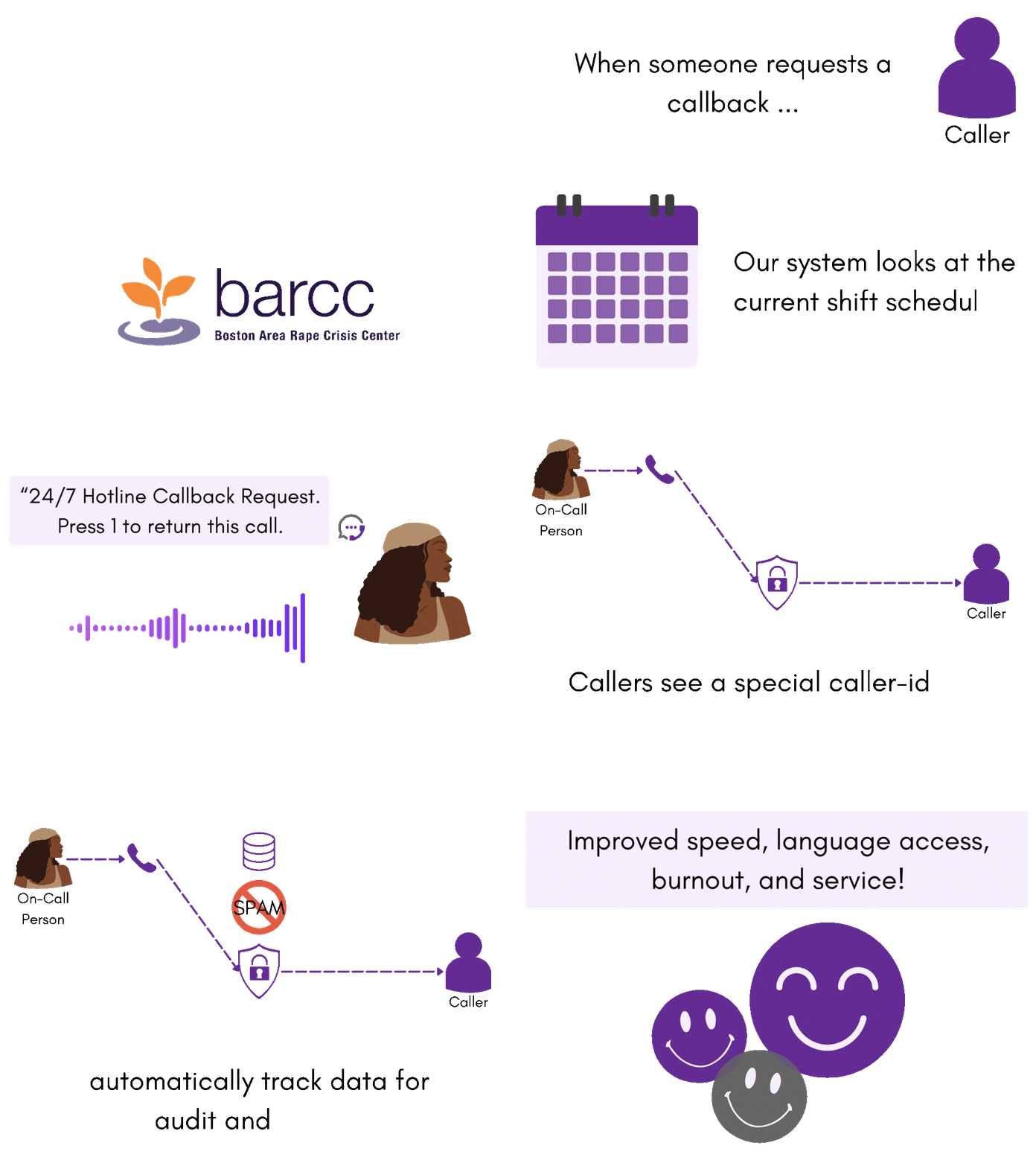
When all agents are busy, the system captures the caller's number, validates for typos, and confirms your callback policy. The caller hangs up knowing they're in the queue.
As soon as an agent becomes available, the system calls them: "Callback request waiting. Press one to return this call." One press connects them to the customer.
If a callback isn't returned in time, the system escalates to a manager or backup team. Wake-up calls and texts ensure someone responds.
What Our Customers Say
Our customers love how customizable the system is, the top-notch support, and how easy it is to use Helpline Software.
"…customer service is responsive, honest, articulate… it's top-notch…"

"There's definitely an awareness with the customer service team that every agency is different… It's very 'meet us where we're at.'"
"I'm loving this system. It's incredibly easy to tailor, and it does exactly what [our on-call personnel] need. Instead of troubleshooting, [our on-call personnel] are spending that time with [callers]."
"It really has changed a huge part of our organization."

"Having a system customized to fit [our needs] has been invaluable. HelplineSoftware gives us the tools we need to support both our staff and [callers]."

"Helpline Software has been an incredible thought partner. They offer creative solutions and really care about the mission of the agencies they serve."

"We are incredibly grateful for our wonderful transition to Helpline this year. The entire process has been seamless, and our team has had nothing but glowing feedback. The ease of use, combined with your excellent customer service, has made a world of difference."

"…take a leap of faith and do it… it is a game changer… it will alleviate a lot of misused time and… [you] will thank me later."

Key Features of On-Call Callback Software
When you're running a 24/7 support line, you need more than a phone system. You need scheduling, call routing, callback workflows, and visibility into what's actually happening. Our platform brings it all together.
Call Routing to Cell Phones
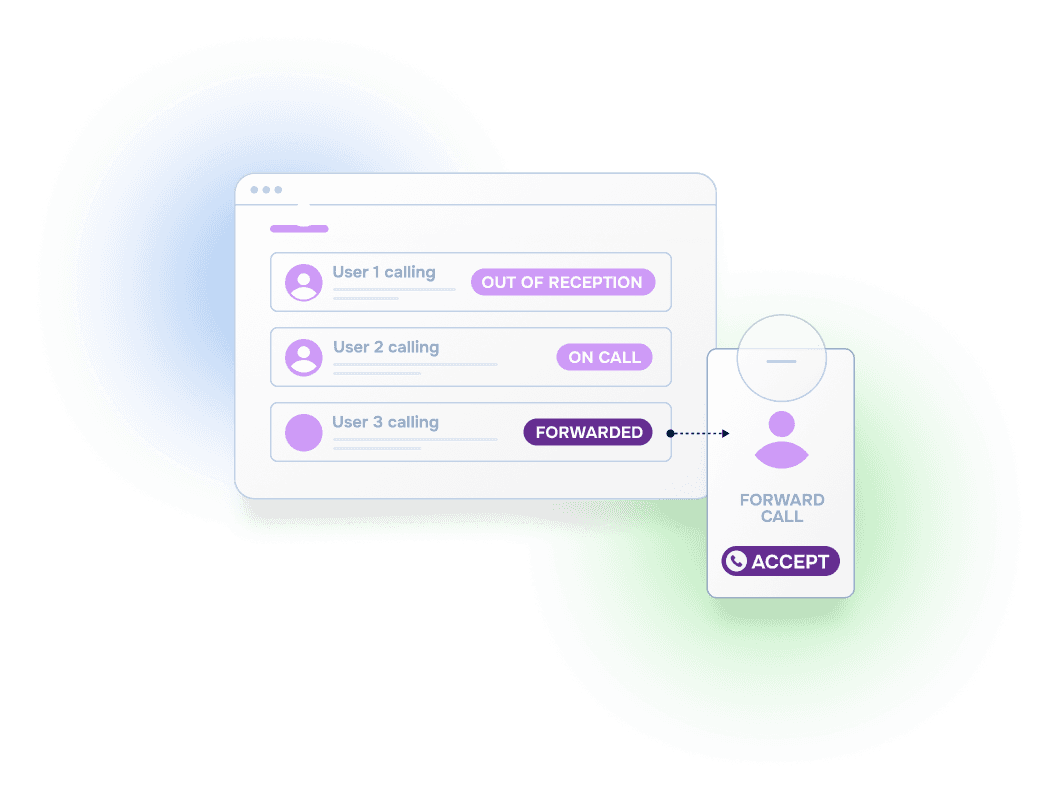
Our call forwarding service routes calls to whoever is on-call, wherever they are. The system knows who's scheduled, who's already on a call, and who has marked themselves unavailable. Calls go to the right person without manual transfers.
Scheduling and Callbacks Work Together
The system watches your schedule. If both agents are busy on calls and a callback request is waiting, it keeps watching. The moment one of them finishes their call, it dispatches the callback immediately. If the night shift starts at midnight and there's a pending request, the new on-call person gets notified the instant their shift begins. No manual handoffs, no requests slipping through shift changes.
Automatic Escalation
Define your escalation rules. If a callback request isn't returned in time, the system can call or text a manager automatically. One customer put it this way: "If a callback isn't returned within an hour, put me on call and I'll deal with it." The system just runs that policy for you.
Known Caller Routing
Add phone numbers for key accounts and route them differently. Skip the menu, go straight to a senior agent, or escalate directly to a manager. When a priority customer calls, they get priority treatment without your agents doing manual lookups.

Analytics for Capacity Planning
See your callback volume over time, average response times, and how long callers wait before hanging up. Executive reports show callback response times, missed call rates, and agent workload without digging through logs. Use that data to staff appropriately. If callers give up after 45 seconds, scheduling four-deep doesn't help. Schedule two-deep with callbacks enabled instead.
When to Use On-Call Callback Software
Callback workflows make sense whenever your on-call team might be fully occupied and callers would otherwise wait on hold or hit voicemail.
When you're running support with a small overnight team, callbacks let you handle overflow without staffing up. Callers get a response; agents don't get overwhelmed.
For customers paying for priority support, callbacks ensure they get a response quickly. Route priority customers differently and escalate when needed.
When your team takes calls from cell phones during off-hours, callbacks handle the moments when the on-call person is already on a call or temporarily unavailable.
After-hours triage lines, patient callbacks, and urgent response teams need reliable callback workflows with escalation if the primary doesn't respond.
Why Teams Switch to Helpline Software
Organizations often come to us after realizing their current setup isn't connecting calls reliably. Routing to cell phones is harder than it looks, and generic phone systems aren't built for on-call workflows. Our platform is purpose-built for this: scheduling, call routing, and callback coordination working together.
Scheduling, call routing, callback workflows, and analytics in one system. When a callback comes in, the system finds an available agent, notifies them, and connects the call automatically.
Cell phones behave differently than office phones. Our system calls twice back-to-back to ensure the call actually rings, detects reception issues, and skips to the next person if needed.
See exactly what happened on every call: who was called, who answered, who was skipped and why. Missed calls show up in red. No guessing.
Change the schedule and call routing updates immediately. No waiting, no manual line transfers, no forgetting to update the forwarding.
Frequently Asked Questions
›What happens when all agents are already on calls?
The system detects that everyone is busy and offers the caller a callback. It captures their number, confirms it for typos, and tells them your callback policy. As soon as an agent finishes their call, the system dispatches the callback request to them immediately.
›What does the caller experience when requesting a callback?
They hear a message like 'All agents are currently supporting other callers. Can we call you right back?' If they opt in, the system gets their number, validates it, and confirms when they can expect a call. Then they hang up. From their perspective, it's seamless.
›How does the agent return the callback?
The system calls the agent and says something like 'Callback request waiting. Press one to return this call.' One press and they're connected to the customer. No looking up numbers or dialing manually.
›What if the agent doesn't answer the callback dispatch?
The system moves to the next person in the escalation order. It keeps trying until someone picks up. You can also configure it to escalate to a manager if callbacks aren't returned in time.
›Can we use voicemails and callbacks together?
Yes, though most organizations find callbacks work better. Callers generally prefer talking to someone over leaving a message. If you want both, we typically configure callback first, then voicemail as a fallback.